Wednesday, January 16, 2008

RouteBuddy is way, way cool

A couple of years ago I discovered RouteBuddy, GPS software for Mac, and fell in love with it. It's beautiful, elegant, and being updated regularly to make it beyond great. They're based in London, so it was fun to see that the free demo map was actually of Santa Fe, our home.

I exchanged a couple of emails with this guy named Neil Wilson-Harris soon after I first bought the first version of the software, and I was immediately impressed with how nice and helpful he was. Of course, the first thing that hooks me or repels me about new software is the quality of the graphics, both in the app and on the app's website. So RouteBuddy had me at first glance. Really beautiful stuff.

If you want to explore the world of GPS and Mac, definitely check out RouteBuddy.

RouteBuddy Neil and Robin.jpg

Neil Wison-Harris shows Robin a map of Santa Fe, using RouteBuddy.

The Macworld Nap

If you're from San Francisco, you probably see this all the time. Or Redmond. Or even Roswell, where aliens hang out. It was new to me. I heard a rumor that it was a scam and that Microsoft is behind it. When they wake up, they have an insatiable urge to install Vista. Creepy.

The Macworld Nap.jpg

Being cool with MacBook Air

Wireless migration assistant.jpg

I sat in on a MacBook Air presentation at the Apple Theater today. A couple of interesting things, in case you missed it. The MacBook Air doesn't have an optical drive, but you can buy a special external USB SuperDrive to connect to it. But you don't need that if you have a fast wireless network. MacBook Air has a special feature that enables it to detect any other optical drives on the local wireless network. Other computers' optical drives show up in the sidebar under "Devices." If you want to install an application that's on an install DVD, put the DVD in a computer, and it shows up on the MacBook Air, as if the optical drive and the disc were part of the MacBook Air. How about using the Migration Assistant to transfer files to your new MacBook Air? Same thing. Mac Book Air's Migration Assistant works wirelessly on your wireless network.

Tuesday, January 15, 2008

Lynda.com

That's the real Lynda of Lynda.com on the left. She's never had a booth this big at Macworld before. But then, her training DVDs and online training have really taken off in the past year. I'm a subscriber to her online training and it's very extremely cool, covering a rich variety of software apps. I was smart enough to tell her I'm a friend of Robin's, and that scored me two tickets to the Lynda.com party on Thursday night, plus a special invitation for authors and potential authors Wednesday night.

linda_dot_com2.jpg

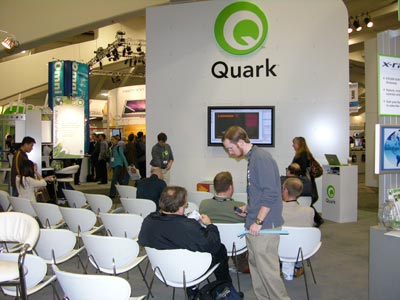
Quark is here

Remember them? I'd heard they were still in business, and sure 'nuff, here they are. This photo erroneously makes it look like nobody cares, but there's still one minute and 30 seconds before the presentation is supposed to start.

quark_booth.jpg


The Adobe booth is packed for every presentation, no matter what app they demo.

AdobeBooth.jpg

The View

Robin and I arranged a rendezvous with friends (Joey Wilson and Linda Pedelty of Wilson Consulting, from Santa Fe) at The View, a bar on the 39th floor of the Marriott, just a block or so from the Expo. If you get there, enjoy the view (hmm, I wonder if that's where the name came from) while you do iPhone stuff. Around here, when the theme is "There's something in the air," we take it to heart and head up to The View.

robin_linda_moma.jpg

The MacBook Air

MacBookAir.jpg

Everyone wants to hold the MacBook Air to see for themselves just how light it is. Here's a photo of several thousand Mac geeks trying to get their hands on one.